
DJI has been the industry leader in consumer and prosumer drones for years. Yet, on DJI’s heals is drone manufacturer, Autel Robotics.
Like DJI, Autel has a foldable drone model to fit most needs. I’ve been using a combination of DJI and Autel drones for personal and commercial client work for a few years.


In this article, we’ll be going into a deep dive, reviewing the Autel Evo Lite+’s hardware, software, and what to expect as a hobbyist, enthusiast, or professional.
To provide some transparency, I no longer fly drones recreationally, as I do not have the time. Whenever my drones come out of their rugged and waterproof cases, it’s for a commercial job.
With that said, I am specifically flying the Evo Lite+, at this time, both recreationally and commercially, making a point to focus on the strengths and possible weaknesses of the drone from both of these perspectives.


This review will be more of a practical, hands-on review, leaving out a lot of complicated spec talk and geared for those looking for a real-world usage review.
Evo Lite+ Pricing
Currently, the Evo Lite+ is a direct head-to-head rival of the DJI Air 2S.
Whereas the Air 2S only has one level (meaning the Air 2S only comes with one version of the camera – no Pro, Lite, or Standard version), the Autel Evo Lite has a plus model and a standard version, dubbed the Evo Lite, with a less spec’d out camera.
We’ll be talking more about the Lite+’s camera later on.


The pricing and corresponding packages for the Evo Lite+, in USD, are currently as follows:
- Autel Robotics Evo Lite+ Drone (Standard Package): $1,549.00
- Autel Robotics Evo Lite+ Premium Bundle: $1,849.00
I am currently using the Premium Bundle.

1'' CMOS Sensor, 6K Video, F2.8-F11 Adjustable Aperture, 3-Axis Gimbal, 3-Way Obstacle Sensing, 40Min Flight, Max 7.4 Miles Transmission.


1'' CMOS Sensor with 6K HDR Camera, No Geo-Fencing, 3-Axis Gimbal, 3-Way Obstacle Avoidance, 40Min Flight Time, 7.4 Miles Transmission, Lite Plus More Combo.
As a business that uses drones a fair bit, having the extra batteries the Premium Bundle includes is a major plus in my book, as additional batteries would need to be purchased had they not been included.
Even if the Evo Lite+ is not being flown commercially, I always suggest new drone owners, regardless of the drone manufacturer, get the Premium (Autel) or Fly More (DJI) bundles initially, as the additional batteries will come in handy.
I have to say this, and I’ll mention it later in the review, the single batteries on the Evo Lite+ are fantastic. Again, more on this later.
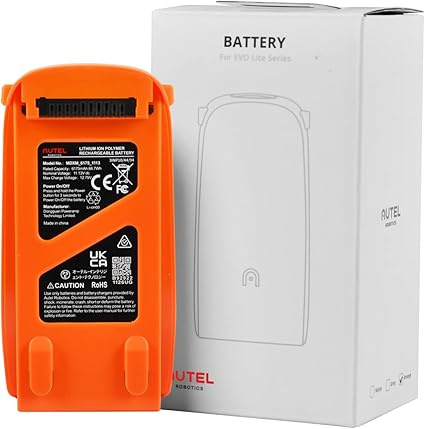
3930mAh 40min Flight Time, Replacement Battery for Autel EVO Lite/Lite+ Drone (Orange).
What’s Included in the Premium Bundle

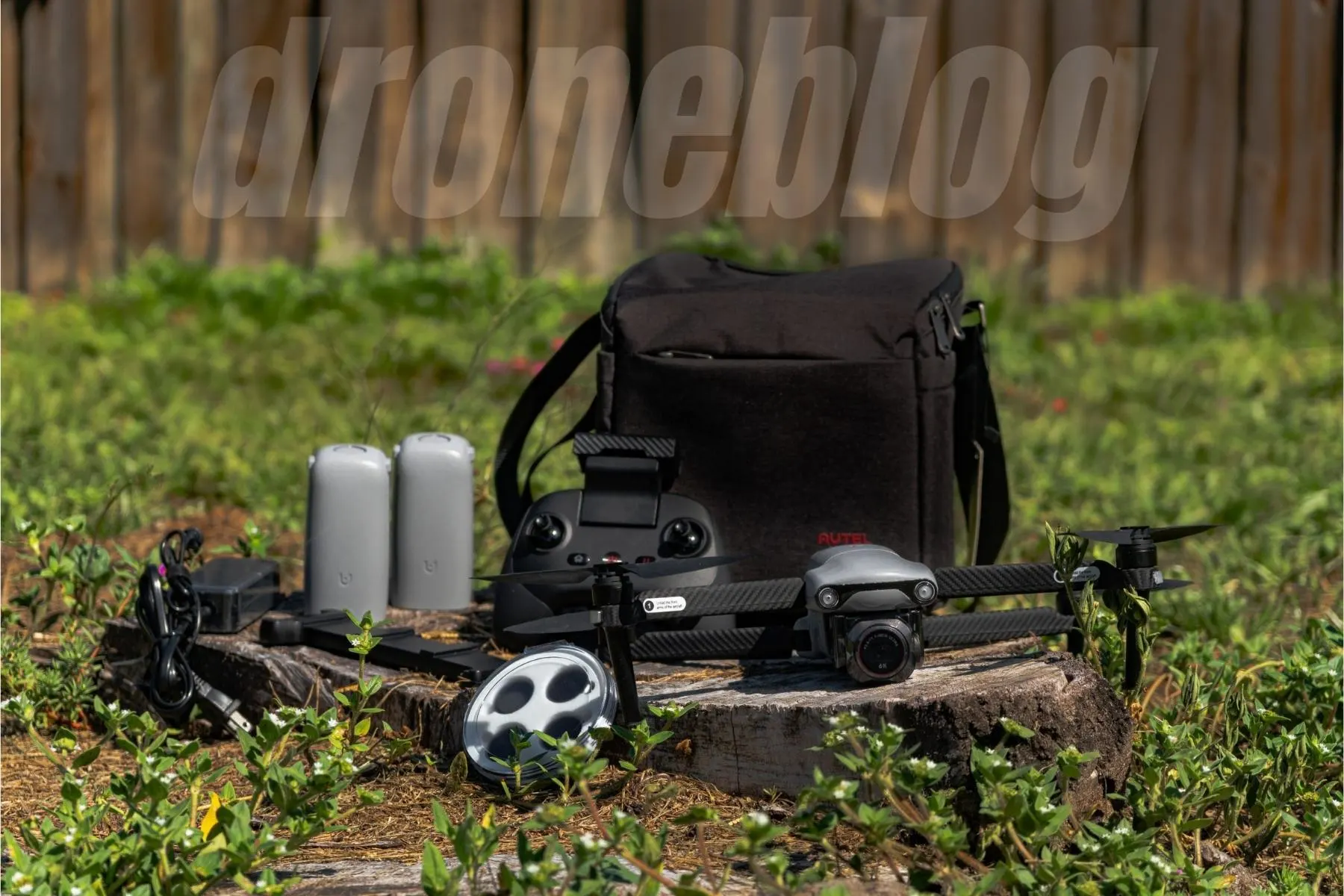
Autel was not kidding when they called this the Premium Bundle. There are so many high-quality items included:
- Autel Evo Lite+ Drone
- Remote Control
- Power Adaptor
- Battery Multi Charger
- 3 Flight Batteries
- Set of ND Filters (4/8/16/32)
- 5 Pairs of Propellers
- RC Charging Cable
- Lightning, Micro-USB, and USB-C Cables
- Shoulder Bag
Being a stickler for quality, I took extra note of all of the items as I took them out of the shoulder bag they are packed in.
Every item felt well made, not cheap or flimsy by any means.
Further along in the article, I will be speaking specifically of the build quality of some of the items.
Is the Premium Bundle Worth it?
This is a great question and is subject to what drone owners are looking to accomplish.
As was mentioned, the standard bundle with one battery goes for about $1,550.00 (as of this article’s writing). 2 Lite/Lite+ batteries are going for $160/each.
1 pair of props sells for $12. The ND filter set? $90. Lastly, the shoulder bag runs for $80.
For just the 2 batteries, ND filter set, and shoulder bag, we are already at $490.
Purchasing a standard model, then buying these items separately will run close to $2,050 when it is all said and done.
If you only want 2 additional batteries and have no need for a shoulder bag or ND filter set, then maybe the Premium Bundle is not necessary.
If you are a person that takes lots of video footage on the go, having the ND set and bag is recommended.

Low-Noise Foldable, Durable Propeller for EVO Lite/Lite+/Lite Plus Drones, EVO Lite Replacement Drone Accessory Original (1 Pair).
The Premium Bundle Bag
When I acquire a new drone, I generally, as a rule of thumb, order a waterproof hard case for it, regardless of the drone model.


Working on different job sites and in different environments makes this a necessity.
With the Lite+, I have no such hard case. Initially, I used the included Premium Bundle Shoulder Bag.
I then most recently used a photographer’s backpack for a client job where the Lite+ was playing the backup role.
What I can definitely say about the shoulder bag is that it was well thought out by Autel. Everything, and I mean everything, that is included with the drone fits in the bag.
The bag has a place for every item, with room to spare. I’ve even kept my cellphone, business cards, and cellphone portable charger in the bag with no issues.
All of the space in the world, however, wouldn’t amount to anything if the bag itself was not constructed well, which it is.
The bag is well-made and sturdy with heavy-duty zippers.
When going in and out of the bag I never feared the zipper pull-tabs breaking off or the zipper coming off track.
When out and about, having a reliable bag is a must.

Compatible with EVO Lite +/ EVO Lite Plus Drone/Folding Quadcopter/EVO Lite Series Accessories, Camera Case Backpack for Photographer (Autel Original).
ND Filters (4,8,16, and 32)

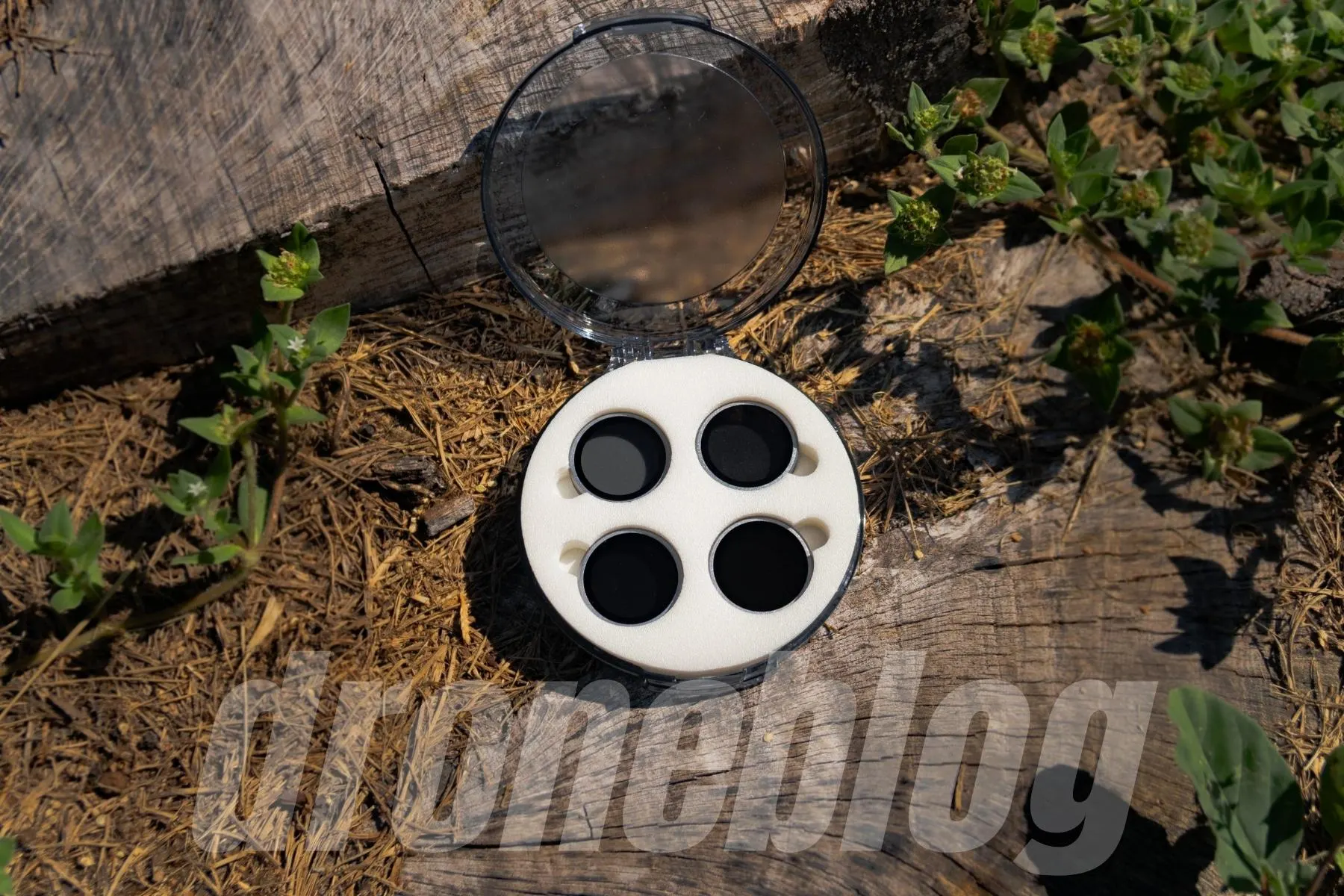
For anyone that is serious about shooting video, it is essential to have an ND filter set that covers, at the very least, ND 4,8,16, and 32.
What exactly do ND filters accomplish? ND filters are likened to sunglasses for your drone’s camera lens.
When shooting video, to achieve the correct motion blur that our eyes are accustomed to, you’d want to shoot double your framerate.
If you are shooting, say 4k at 24fps (frames per second), you’d want your shutter speed to be double this or 1/50th of a second. For 30fps, you’d want to shoot at 1/60, 60fps 1/120, etc.
When shooting in bright conditions, it is difficult to achieve the correct shutter speed without dimming the light that comes into the camera’s sensor. This is where the filters come into play.
The brightness of the sun’s light determines which filter you’d use.
I live in Florida and shoot a lot of Gulf Coast beach footage, with bright white sand. Having ND filters is essential.
Because of how bright it is here, I normally have to shoot at 4k 60fps with at least an ND32.
With the Evo Lite+, because it has a variable aperture, it is possible to shoot in these conditions without having to purchase a higher strength filter (i.e. ND64) or even with such a high shutter speed.
ND Build Quality
With all of this said, the ND filters that come with the Lite+ are really well made, seeming to be made of metal.
I also really like the design language Autel uses with their lens housing in general. Instead of a push/clip motion that DJI uses, Autel uses a screw-on method.
I find that Autel’s screw-on ND filters are easier to get on and off (for me), all the while minimizing stress on the gimbal while installing and removing the filters.
With push/clip filters, I always feel like I am going to damage the gimbal by fiddling too much.
Although not as expensive as, say, Polar Pro ND filter sets, the filter set included in the Premium Bundle are, again, very well made and have none of the weird color casts that less expensive filter sets are known for.

This Autel Robotics EVO Lite Plus accessory ND Filters Set includes: ND4 (2-Stops)*1, ND8 (3-stops)*1, ND16 (4-stops)*1, ND32 (5-stops)*1, Protective Case*1. These ND filters help reduce light entering the camera lens allowing for more adjustments and control over the exposure of your images.
3 Battery Charging Hub
When it comes to multi-battery hubs, I always have a slight love/hate relationship with them. Either they are too big, too small, don’t charge enough batteries, or are awkwardly shaped.
What I like
The batteries on the Lite+ are fairly large. Because of this, the multi-charging hub has to compensate for the battery’s size.
The hub is large but fairly flat, with non-slip feet on the four corners.
This design allows the hub to be pretty inconspicuous and fit in most places, including the shoulder bag (when disconnected from the AC adapter).
The batteries slide onto the top of the charging hub. For these types of batteries, this works well.
I have seen a review or two where the reviewers mentioned the batteries not “clipping onto the charger” as being problematic.
I don’t share these sentiments, as you normally wouldn’t be moving the hub around while the batteries charge. Also, the batteries don’t easily slide out of the hub, whether or not it is moving.
What I’d like to see
As an owner of the original Evo I, I really liked the multi-battery charging hub that housed four Evo I batteries.
I’m one who believes you can never have too many batteries when dealing with commercial shoots.
The multi-battery hub that comes with the Lite+ is by no means a negative. However, I would really love to see a 4 battery charging option.
With as long a flight time as the Lite+ has, per battery, having the option to charge 4 batteries would be outstanding.

Multi-Channel Charger for Autel Lite/Lite+ (Plus) Drone.
Evo Lite+ Remote Controller


So bear with me for a second. I’m a gamer. I’ve been one for decades and even built levels for Microsoft for many years, but I digress.
Anyway, as a gamer, I have become accustomed to the newer controllers (i.e. Xbox One) and love how they feel.
Autel nailed the ergonomics of the Evo Lite/Lite+ controller.
The Evo Lite controller has a similar design as the Xbox One controller and is very comfortable to handle. The sticks have the right amount of resistance, and the buttons press and click confidently.
Although this new controller does not have the LED screen the original Evo I and Evo II have, this new design, in my opinion, makes up for the lack of display.
One major complaint I had about each of those previous models of RC was the small rabbit ear antennas. They were very delicate and moved around quite a bit.
Autel has since ditched the external rabbit ear antennas on this controller in favor of an integrated system.
The antenna is built into the retractable device mount that rises from the top of the remote controller. This mount accommodates smartphones and special brackets (available online from various manufacturers) to hold larger devices.
I appreciate this feature, as there are two fewer failure points to be concerned with (the 2 antennas).
While I do really like the new RC, there are a few aspects of the remote controller I’d love to see improved.
- The retractable device mount slides up and down very easily. There is not much internal resistance or spring-loaded action.
I found when I used different smartphones with varying case materials, each phone behaved differently in the mount.
On my Samsung S20+, the case is hard plastic, and if I moved the remote a certain way, the phone would slide considerably.
On the other hand, when using my iPhone 13 Pro in a TPU-like case, the phone barely moved.
- There is nowhere to house the removable sticks.
I generally keep the sticks installed on my RCs, for quicker setup times. Not having a place to store the sticks isn’t an issue for me.
However, if you are one that likes to remove the sticks after each flight to minimize potential damage, there not being a spot on/in the RC to house the sticks once removed could be a slight inconvenience, as they’d need to be stored in a pants pocket, bag pocket, or loosely in a hard case.
The good thing is that there are solutions online that can be purchased to eliminate this concern.


- It would be nice to see the entire mount and antenna system retract flush into the remote controller.
The biggest advantage to this would be that the RC would take up a bit less room in a bag or even a hard case.
Of course, this does not hinder the operation of the controller one bit but would be a nice design modification.
- There is no flight characteristic/mode switch.
Meaning there is no switch to change from normal to stable to sport (aka Ludicrous) mode on the face of the controller.
What is good about the controller is that there is an FN (function) button that can be programmed to change the Lites flight modes on the fly.
Evo Lite+ Drone
The Lite+ looks a lot like its older brother, the Evo II. I have always liked the Evo II design. It looks serious and ready for an assignment.
Unlike the Evo II, the Evo Lite series comes in 3 colors:
- Classic Orange
- Deep Space Gray
- Artic White
Whereas I loved the high visibility of the Classic Orange on my Evo I, I really like the less attention-seeking Deep Space Gray color.
Having a choice of three colors is a welcomed addition and helps make the Evo Lite/Lite+ yours.
When I initially handled the Lite+, I was quietly surprised (and impressed) at how solid it felt. There is a fair bit of weight to the unit and zero play in any of the joints.

